AI Rap Generator Without Signup: What You Can Do First
See what you can explore and prepare in AI RAP without signing up, why real generation needs an account, and how to move from a draft to a finished duet.
Looking for an AI rap generator without signup often means you want to understand the experience before creating another account. That is a reasonable place to start. You may want to see the available scenes, check what photographs are needed, or decide whether a short duet suits the occasion.
AI RAP lets you browse public pages and prepare an idea before signing in, but real video generation requires an account and credits. There is no guest-generation flow that produces a finished private video without signing in. This guide explains the useful preparation you can do first and where the account step belongs.
The cover is a conceptual illustration of entering a studio, not a screenshot of a registration screen.
What you can explore as a visitor
Start with the public scene previews, photo effects, guides and FAQ. You can compare creative directions and understand the product before deciding whether to continue.
Scene previews are illustrations. They are not videos generated from your own photos, and watching them does not grant a free generation allowance. Look at them to choose an atmosphere, not to predict the exact faces, words or gestures your result will contain.
The Pricing page explains the current offers and generation rates. Reviewing it does not create a task or mean that you have selected a purchase. Check the creator's final quote when you are ready to submit.
Prepare the idea before the account step
Choose the two people who should appear in the video, the occasion and one detail that makes the message personal. A shared hobby, a recurring joke or a favorite memory is enough to give a short topic direction.
For example:
Two best friends celebrate years of late-night snacks, spontaneous trips and always being there for each other.
Keep the idea in a separate note so you can reuse it if you change browsers. AI RAP's topic field allows up to 120 characters, so prepare a concise version rather than a complete song.
You can also decide whether the result should feel warm, playful or celebratory. That decision makes it easier to choose a stage later. For more examples, see the freestyle topic guide.
Understand the preparation-to-generation boundary
The workflow moves from public browsing to a local draft, then to account-based generation. Those stages have different purposes.
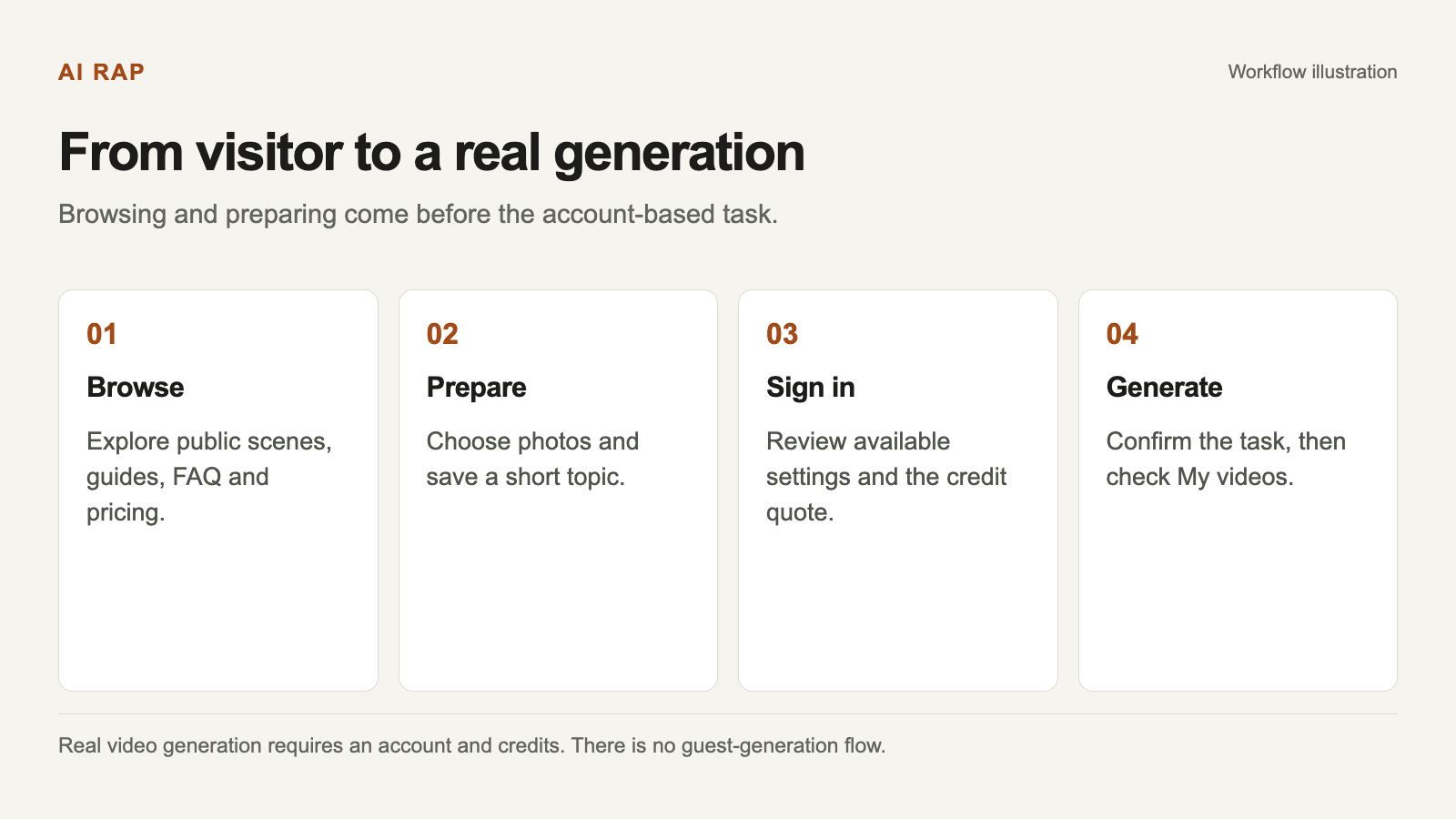
Select a diagram to view it at full size.
The account and credit confirmation steps are part of real generation, not requirements for reading the public guides.
Before submission, you are selecting inputs and creative settings. A local draft is not a submitted task. Clicking through available options does not mean a finished video is waiting somewhere on the server.
When you are ready for a real task, sign in and review the available settings and exact credit quote. The account connects the generation, credit balance and private work history.
Choose the right photo arrangement
The rap creator supports two individual portraits or one photo with both people together. In the two-portrait mode, provide one person in each slot. In the together-photo mode, choose an image in which both faces are visible.
Prepare photographs you have permission to use. Clear faces and simple framing are more useful than a busy group shot with many people. Check the supported formats and limits in the photo guide.
Selecting a photograph for a browser draft and submitting it for real processing are different actions. Real generation uploads the required photos for processing. Read the Privacy Policy before submitting if you want to understand storage, processing and deletion in more detail.
A local draft is not an account backup
The creator can retain a draft in the current browser. That is convenient when you are still choosing photos or a topic, but it should not be treated as a cloud-synced project.
A different browser or device will not automatically have the same local draft. Clearing site data can remove browser-held material. Keep your original photographs and a copy of your topic somewhere you control if you want to return to the idea later.
Signing in is also not the same as submitting the draft. Review the creator after sign-in and confirm the photos, scene and settings before starting a real task.
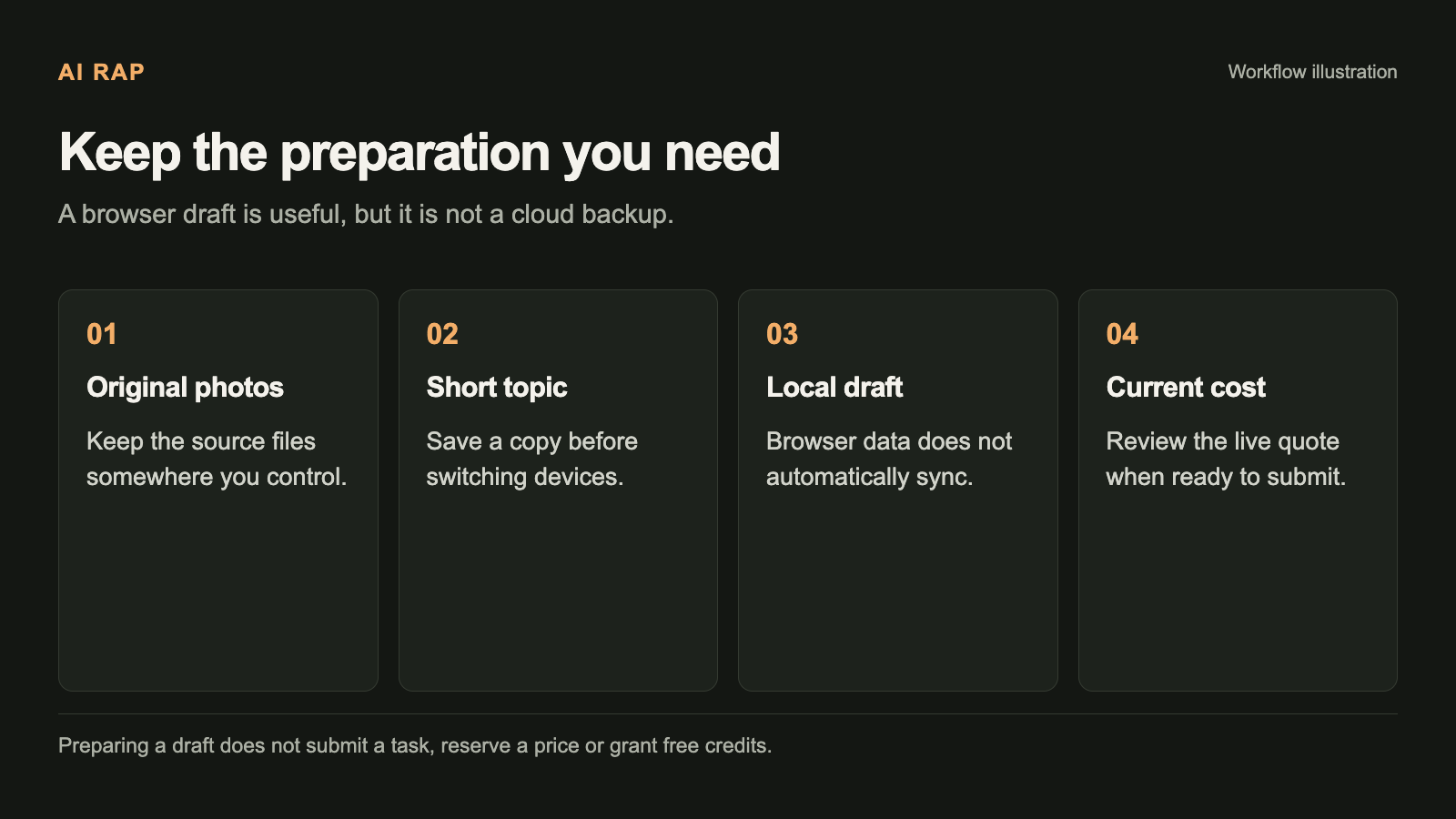
This checklist helps you prepare without confusing a browser draft with a generated work.
What to check after signing in
Confirm the creation mode first. Rap video is the workflow for original English lyrics, vocals and music. Photo effects are designed as silent visual effects. Make sure the mode matches the result you want.
Then review the model, duration, resolution and aspect ratio. Available combinations depend on the model. If a setting change proposes a different duration or resolution, review the whole change rather than assuming only one option will move.
Finally, check the credit quote before confirming. Public browsing and scene previews do not provide a free task allowance. Account credits, a locally stored draft and any historical demo state are different things.
Where your generated work appears
Real tasks appear in My videos under your account. You can follow progress there, and a task can continue in the background after you leave the page.
If your connection drops, return to the existing task before submitting another generation. A network error does not by itself prove failure. Confirmed generation failures return the charged credits once; the credits guide explains how that differs from a cash refund.
When the result is available, watch the video with sound and review its actual specifications. Facial likeness, words and lip movements can vary. Download it after checking that the result is suitable for the recipient and occasion.
Common questions about the account requirement
Can I read the guides without registering?
Yes. The public guides, FAQ, scene illustrations and pricing information are available for browsing.
Can I create a finished video without signing in?
No. Real AI RAP generation uses an account, credits and private work history.
Does preparing a draft guarantee a free attempt?
No. A draft stores creative choices; it is not a credit grant or a completed task.
Can I use the photos to reproduce someone's real voice?
No. Photos guide visual identity. AI RAP generates new vocals within the video rather than cloning a voice from a portrait.
Does changing the website language change the rap language?
No. New rap videos in this workflow use original English lyrics, vocals and music.
A useful way to try the idea first
Spend the visitor stage deciding whether you want this specific format: a short duet built from photos, a stage and a personal topic. Prepare two suitable portraits or one photo together, keep a copy of the topic, and review the current costs.
If that format fits, open the creator, sign in when you are ready and confirm the real task settings. If you only wanted written lyrics or a standalone audio track, recognize that difference before spending credits. Exploring the workflow first should help you make that decision with clear expectations.