AI Rap Voice Generator: Vocals, Music and Video Explained
Understand AI rap vocals, voice cloning and photo-based rap videos. Learn what AI RAP creates, how topics guide the sound and what to check before sharing.
The phrase AI rap voice generator can describe several different tools. Some turn written words into spoken audio, some create musical vocals, and some build a complete audiovisual performance. Knowing which output you need helps you avoid choosing a workflow that cannot deliver it.
AI RAP creates short photo-based duet videos with original English lyrics, vocals and music. It does not provide an independent voice-cloning tool, a standalone text-to-speech editor or a separate audio-only generation workflow. The photos guide the performers' visual identities; they are not recordings of those people's voices.
The cover is a conceptual studio illustration, not a screenshot of an audio control panel or a customer result.
Separate words, performance and presentation
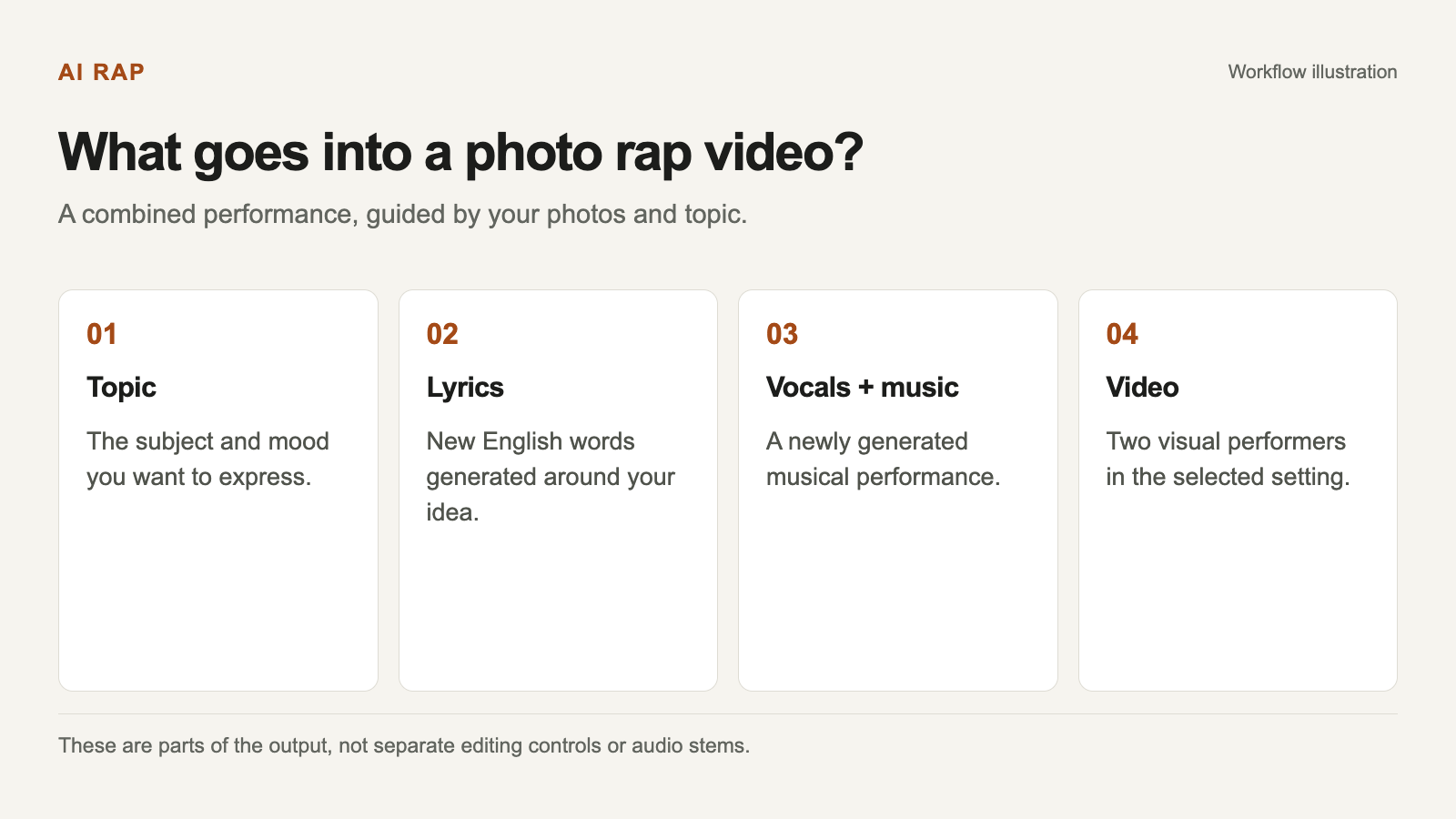
It helps to think about a rap video in four layers. The topic supplies the subject. Lyrics express that subject in words. Vocal performance and music make those words audible. The video adds the two performers and the setting.
In AI RAP, these elements are part of a generated short video. You are not separately recording a voice track, editing every lyric, choosing a detailed vocal preset and then exporting independent stems.
Select a diagram to view it at full size.
The diagram explains the output, not separate editing controls available in the product.
This distinction matters when evaluating a result. A video can have a relevant topic but an unexpected voice. It can look appealing while using different wording from the phrase you suggested. Review the combined performance, not just a single layer.
What your photos tell the model
You can provide two individual portraits or one photograph of two people together. Those images guide the identities of the people shown in the generated scene.
A photograph contains visual information. It does not carry the person's recorded vocal tone, accent, speaking rhythm or singing performance. Uploading a friend's face should therefore not be understood as a request that automatically reproduces the friend's real voice.
If recognizable visual performers and a newly generated musical performance fit your idea, a photo duet may be appropriate. If the essential requirement is hearing a specific person's authentic voice, AI RAP's current workflow is not the right tool for that requirement.
How the topic influences the sound
The topic helps establish the subject and emotional direction. A birthday celebration, a warm shared memory and a friendly cooking rivalry give the model different material to work with.
A concise topic might be:
A warm birthday duet for Taylor, celebrating weekend hikes, terrible puns and always bringing the best snacks.
This tells the model what the performance is about. It does not specify an exact melody, beat, voice identity or word-for-word script. You can suggest a name or a phrase, but pronunciation, inclusion and final wording can vary.
For practical writing patterns, see the lyrics topic guide. A clear personal detail is usually a more useful starting point than several paragraphs of audio-engineering instructions.
What the current workflow does not offer
There is no voice-sample upload in the current rap creator. There is also no control that lets you select a named singer, clone a real person's voice or type a complete script for guaranteed verbatim performance.
Song uploads and line-by-line lyric editing are not offered in this workflow. New rap videos use original English lyrics, vocals and music. Changing the site's display language does not change that English-performance rule.
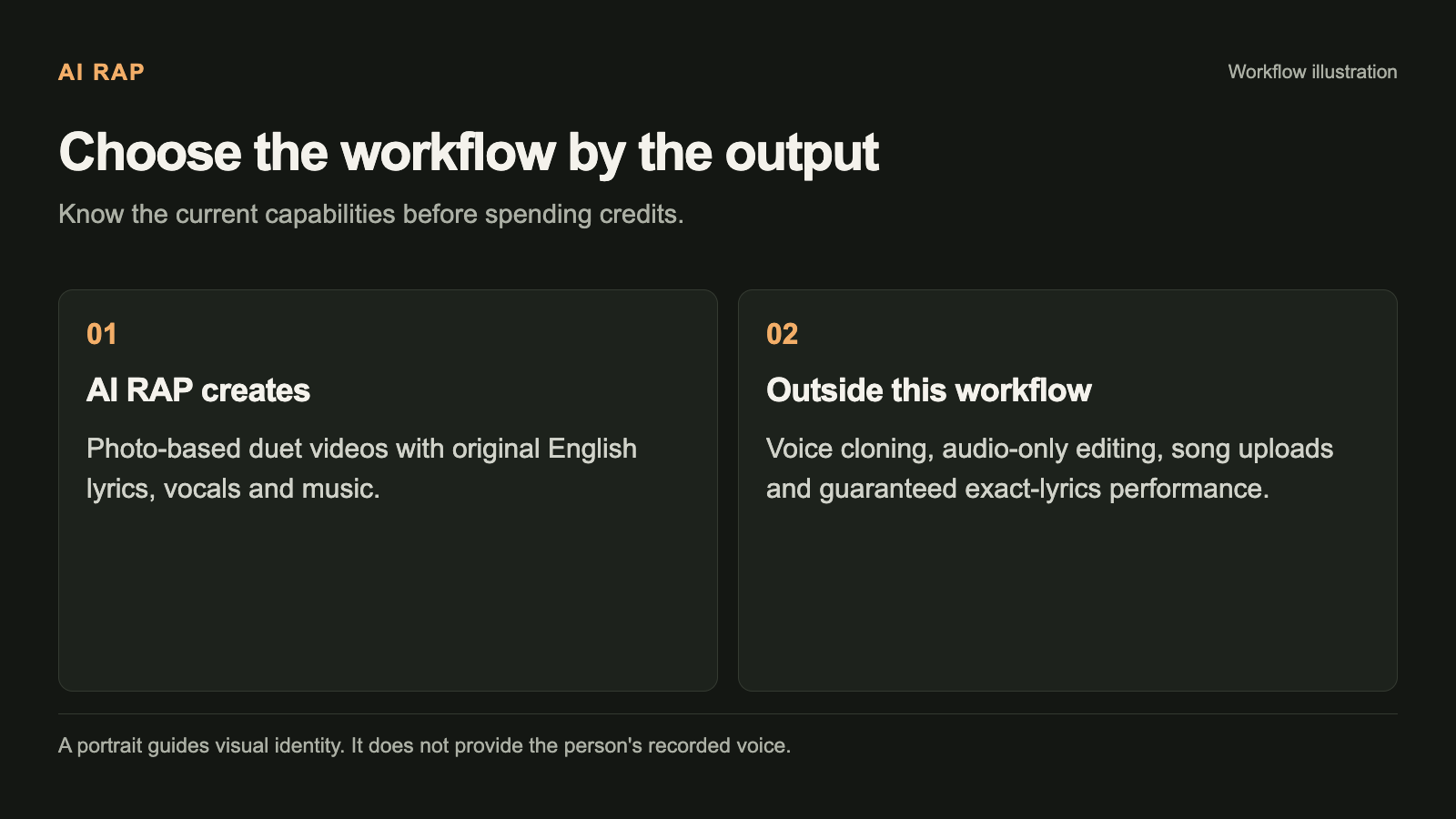
These boundaries describe the current AI RAP workflow. They are not a comparison of every tool on the market.
If a project requires a particular sentence to be heard exactly, treat that as a requirement to resolve before generation. Do not assume the model will reliably repeat a phrase simply because it appears in your topic.
Rap videos and photo effects have different sound expectations
AI RAP also offers photo effects for two people. Those effects are designed as silent visual transformations. Their presence beside the rap creator does not mean every effect includes a newly generated rap soundtrack.
Choose Rap video when your goal is a short duet with original English vocals and music. Choose Photo effects when the visual action is the main result you want, and review the effect's description.
Before submitting, check the selected mode as well as the model and settings. A familiar pair of photos can be used in different workflows, but the expected output is not identical.
Prepare a voice-focused creative brief
If the sound is central to your idea, describe the feeling you want the message to convey: warm, playful, celebratory or gently teasing. Keep the subject concrete enough that the performance has something specific to say.
For example, “a celebratory duet about finishing our first marathon together” gives a clearer direction than “make the voices sound professional.” The former describes a story and a mood. The latter leaves the actual message unspecified.
Choose a stage that supports that atmosphere. A visual setting is not a precise musical-style selector, but a coherent topic and environment make the creative intention easier to understand. The freestyle guide offers examples organized by occasion.
Listen to the finished video carefully
When a task completes, play the video with sound enabled. Listen for whether the message makes sense, whether the mood suits the recipient, and whether any suggested names or phrases came through acceptably.
Also inspect the performers' faces and mouth movements. Generated likeness and lip synchronization can vary. A successful task status means a file is available; it does not guarantee that every creative detail meets your expectations.
If you intend to share the video with someone else, listen through the entire clip first. Do not rely on the first few seconds or a silent thumbnail to judge the result.
Check the actual file before downloading
The finished work is available in My videos, where you can review the actual file specifications. Check those alongside the settings you requested. Download the available video when you are satisfied with both the picture and sound.
The current product workflow delivers the video, not a set of separate vocal, music and instrumental stems. If an audio-only deliverable is essential, decide that before spending credits rather than expecting an additional export option afterward.
Generation requires an account and credits. Review Pricing and the exact task quote before confirming. If a task is unresolved after a connection problem, check its status instead of assuming that creating another task is necessary.
Choose the workflow by the output you need
For a personal photo duet, prepare two suitable portraits or a photo together, choose one topic and a stage, then follow the first-video guide.
For exact lyric performance, a particular real voice or audio-only editing, recognize that those requirements sit outside this workflow. That decision saves you an unhelpful experiment and makes it easier to judge AI RAP for what it actually creates: a short video performance guided by your photos and story.